Install N1ED module for Drupal 8
Looking for Drupal 9, Drupal 10 or Drupal 11 installation?
Drupal 8 reached its end of life in 2021, and this page stays for the sites that still run it. The N1ED module is the same one the newer Drupal versions use; on Drupal 8 it runs on CKEditor 4, the editor Drupal 8 ships with, so you get the full N1ED: Bootstrap blocks and grid, widgets, the file manager and the image editor.
In Drupal, every CKEditor plugin comes with a Drupal module that docks it into the CMS. The CKEditor modules in Drupal article explains the mechanism.
Download module for Drupal 8
One Drupal module brings the whole N1ED ecosystem.
Download Drupal moduleA site managed with Composer can run
composer require drupal/n1edinstead and go straight to enabling the module.Install & enable Drupal module
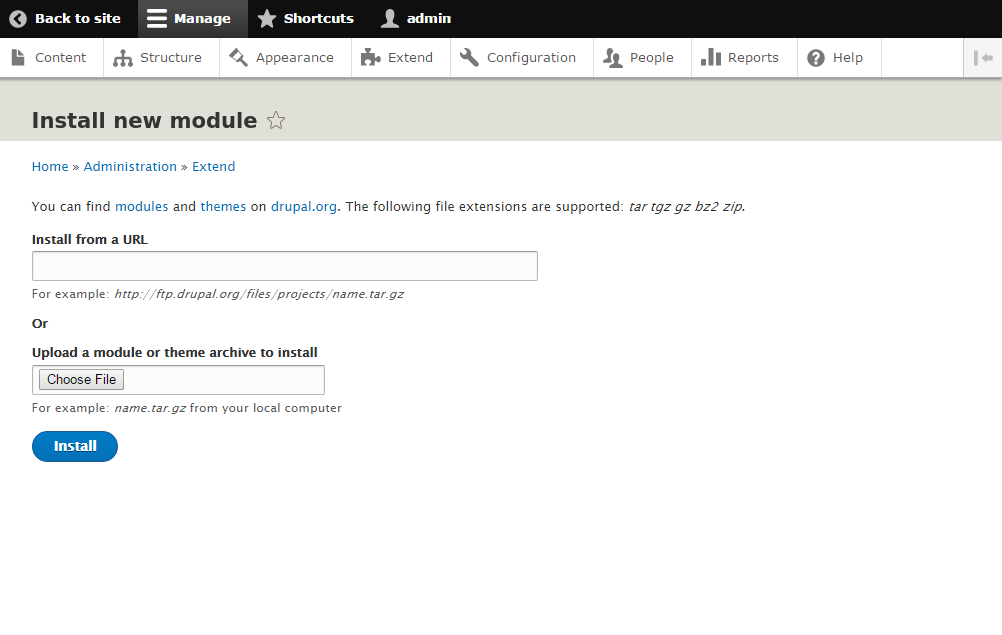
In Extend, press Install new module, choose the downloaded file and install it. The button is there while the core Update Manager module is on.
Then tick N1ED in the module list and press Install.
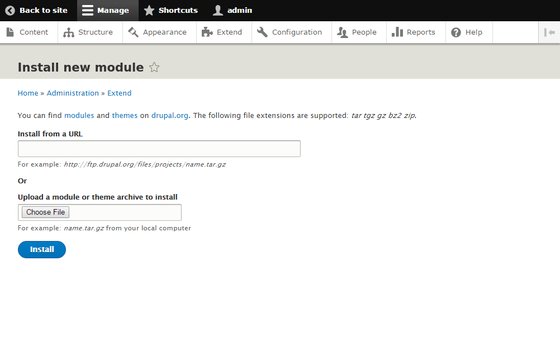
Extend → Install new module: upload the downloaded file
Configure text formats
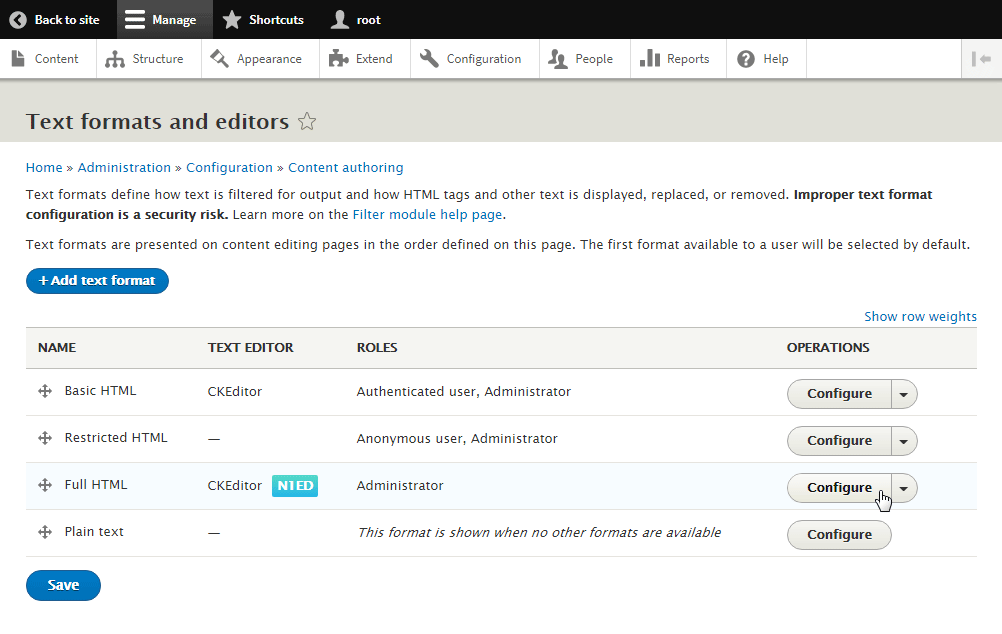
Open Configuration → Content authoring → Text formats and editors. N1ED attaches itself to the CKEditor formats; use Full HTML, the format that keeps the Bootstrap classes and attributes N1ED writes. Press Configure next to it to see the N1ED panel.
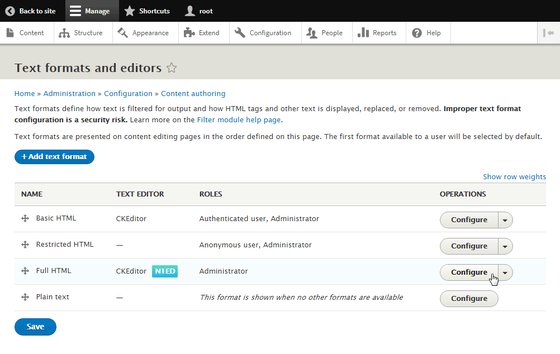
Text formats: N1ED on Full HTML
Set API key
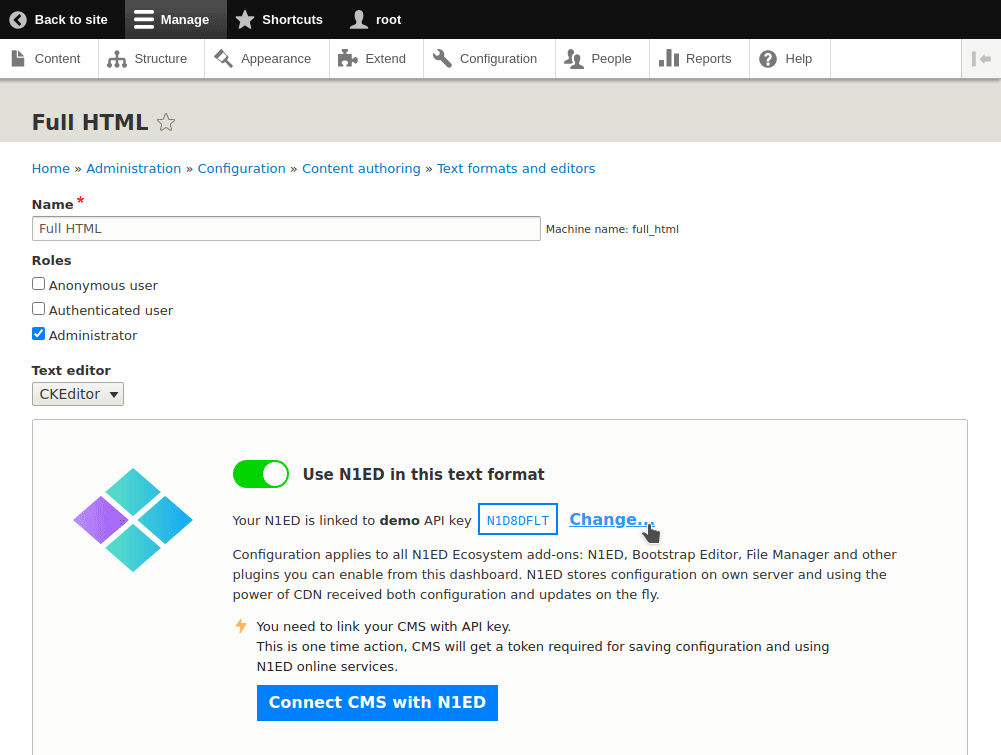
In the N1ED panel, press Set API key (Change in older versions of the module) and paste a key from your Dashboard. No account yet? You can register one there for free.
The key links your site to its configuration in the Dashboard: the toolbar, widgets, blocks and the file storage.
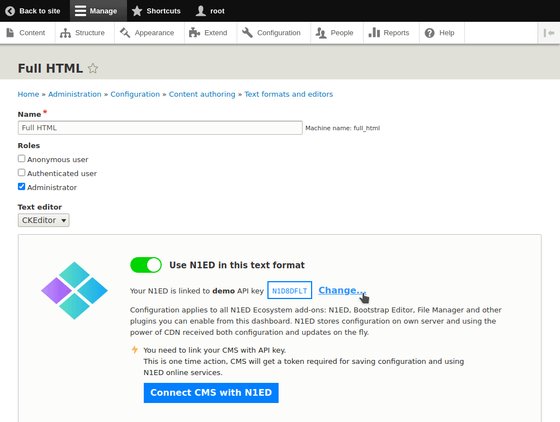
Full HTML: the N1ED panel with the API key
Check your installation
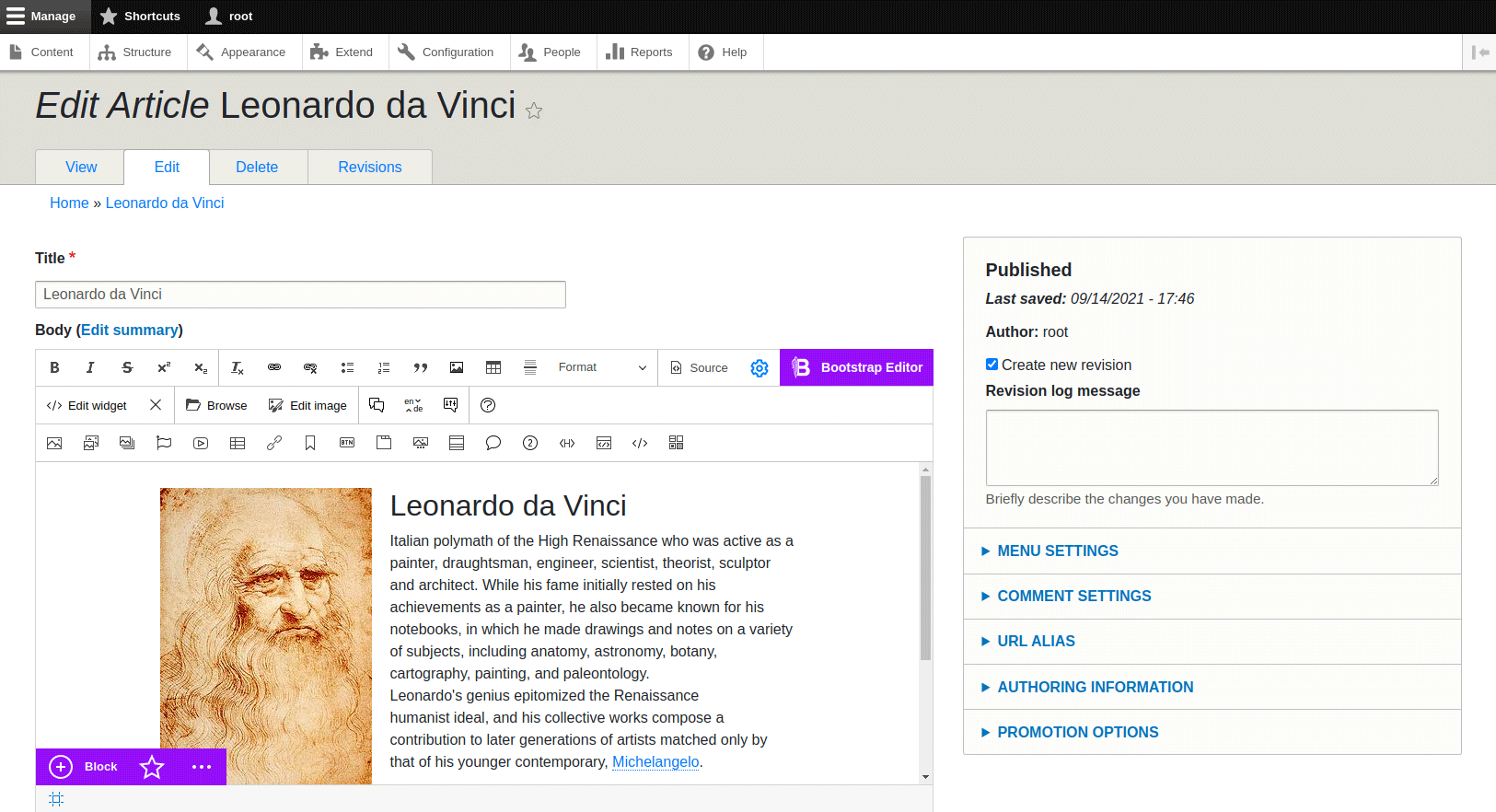
Open Content, pick an article and edit it in Full HTML: the body opens in N1ED.
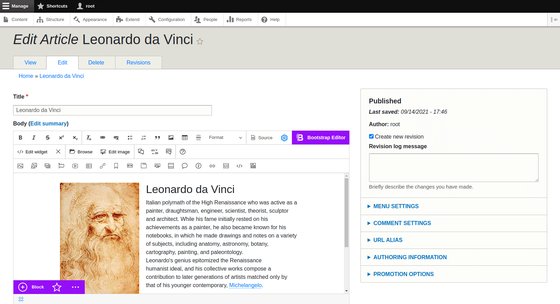
An article in N1ED on Drupal 8
Configuration
The module keeps one setting per text format: N1ED on or off. Everything else, the toolbar, widgets, Bootstrap blocks and the file storage, is configured for your API key in the Dashboard.
DashboardExamples
A live demo of N1ED on CKEditor 4, the editor your Drupal site runs, with its code.