Inherit settings from parent API keys
Having multiple websites covered with N1ED causes having individual N1ED API keys for each of them. Each API key refers to an isolated configuration that is applied to the editor on the website you use the API key on.
However, often having a lot of similar websites nudges you to find a way to control their settings in a centralized way.
For example, you have the same framework for all your websites, the same UI options your workers are familiar with and many other settings that are also identical across sites. This is the perfect case for making all your API keys inherit from a single one that will be a parent.
This inheritance can be configured in the Dashboard. Each parameter change on a parent API key immediately applies to the children.
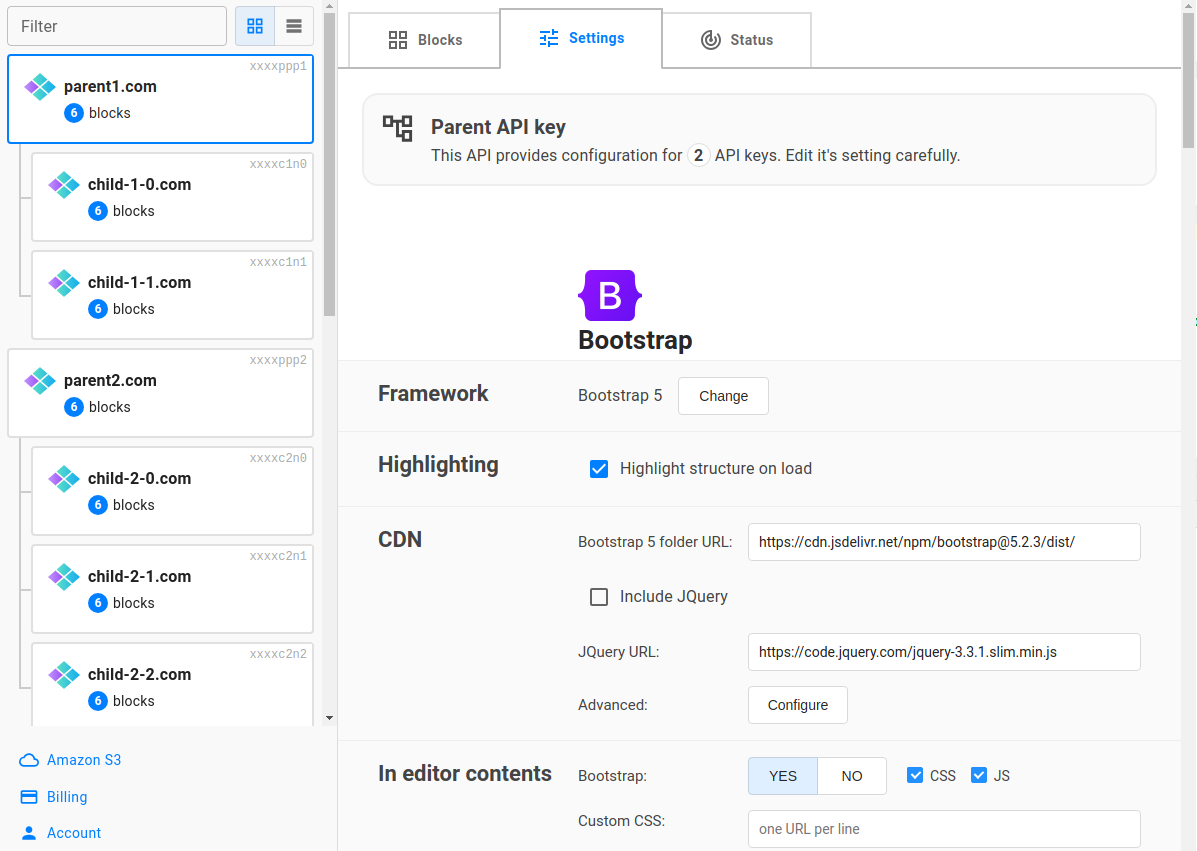
What's inherited and what's not
These properties of child keys will be inherited from the parent, and their editing in the Dashboard for child keys will be locked:
- All parameters you see on the Settings tab: parameters of your framework (Bootstrap/Tailwind), file manager configuration, image editor options, etc.
- Fixed product version option
And this is what this API key will continue to ship regardless of the inheritance:
- Custom blocks for Bootstrap/Tailwind
- Custom widgets
- Block sharing rules
Overriding configuration
Sometimes, especially when you are configuring the file manager, you might need to override some parameters of the child key.
You can do this using programmatic passing parameters. Here is the list of file manager parameters. Just specify them among other CKEditor/TinyMCE config and they will have higher priority than the configuration of the parent API key.
File manager overriding example:
- TinyMCE
- CKEditor 4
<textarea id="editor"></textarea>
<script>
    tinymce.init({
        selector: "#editor",
        plugins: "n1ed",
        apiKey: "child-n1ed-api-key",
        Flmngr: {
            urlFileManager: 'https://child-website.com/flmngr/flmngr.php',
            urlFiles: 'https://child-website.com/files/',
        }
    });
</script>
<textarea id="editor"></textarea>
<script>
    CKEDITOR.replace("editor", {
        extraPlugins: "N1ED-editor",
        apiKey: "child-n1ed-api-key",
        // Alternatively you can define these options inside 'config.js'
        // as config.Flmngr = { ... };
        Flmngr: {
            urlFileManager: 'https://child-website.com/flmngr/flmngr.php',
            urlFiles: 'https://child-website.com/files/',
        }
    });
</script>
It's actually the same as you might do when assigning individual folders for app users/tenants.
Custom blocks inheritance
Custom blocks and settings are different things. While settings are inherited within parent-child pair, custom blocks are always individual along all API keys. They store blocks of your website you are using this API key on and usually no other website should access them due to privacy concerns.
However, N1ED has a flexible way to export blocks from one API key to other ones using sharing custom blocks. You can share blocks from the parent API key to all your child keys, to certain API keys, or even use an external, non-parent API key to import all or some blocks from it, or combine all previous approaches.
The easiest and the clearest way, of course, is to build your own universal block library on the parent key and share it to every child.
What key to choose as a parent
There are two main approaches of building API key hierarchy:
- To have an unused API key that only stores the base configuration. This is the easiest way and it helps you to keep all custom blocks on this API key intact (see previous section about block sharing). So you will use child keys only, that are linked to individual websites.
- Use one of your websites as a parent, all others will be its children. This way may also be used.
Detaching from the parent
If you decide that one of your websites is really special, and you don't want to let the parent key change its configuration, you can easily detach this API key on the Settings tab in the Dashboard.
The API key configuration will be unlocked and you will be able to edit it. After detaching, the settings will revert to their state from before the key was attached; no parent parameters will be copied over.
Actually, attaching API keys to some so-called parent API key doesn't cause self-configuration overwriting: it will still be stored in the Dashboard, and you will see it as disabled. So you can always return to your previous configuration regardless of what happened, so the migration from a set of independent, standalone, keys to parent-children associations will be smooth and you can immediately revert everything in case of any issues.